
Exhibitors area
December 4-6, 2026
Le Carreau du Temple
Paris
Digital invitations
User guide for the digital invitations section
You have received an email containing a link to the portal where you can manage your digital invitations. Please keep this link and do not share it.
You have a quota of invitations:
If necessary, you can request an increase in this quota by sending an email to: contact@salondulivrerare.paris
At a glance
Opening
Thursday 3 December, 5 pm to 10 pm, valid once from 3 to 6 December.
Public days
Valid once from 4 to 6 December.
Two people
Each invitation is valid for two people.
QR code
Scanned at the entrance, on a smartphone or on paper. One entry per invitation.
With a name or open: you can print your guest’s name on the invitation, or leave it blank for an invitation you can hand over or pass on freely. Names are not checked at the entrance.
Opening your portal
- Open the email “Salon du livre rare / Paris Rare Book Fair · Invitations digitales” and click “Accéder à mon espace partenaire” (Access my partner area).
- At the bottom of your portal, you can see how many invitations of each type you have already used.
- The “+ Éditer un lot d’invitation” button (create a batch of invitations) is where you create your invitations.
Good to know
This link is personal: it opens your portal without a password. Keep the email, and never forward the link to your guests.
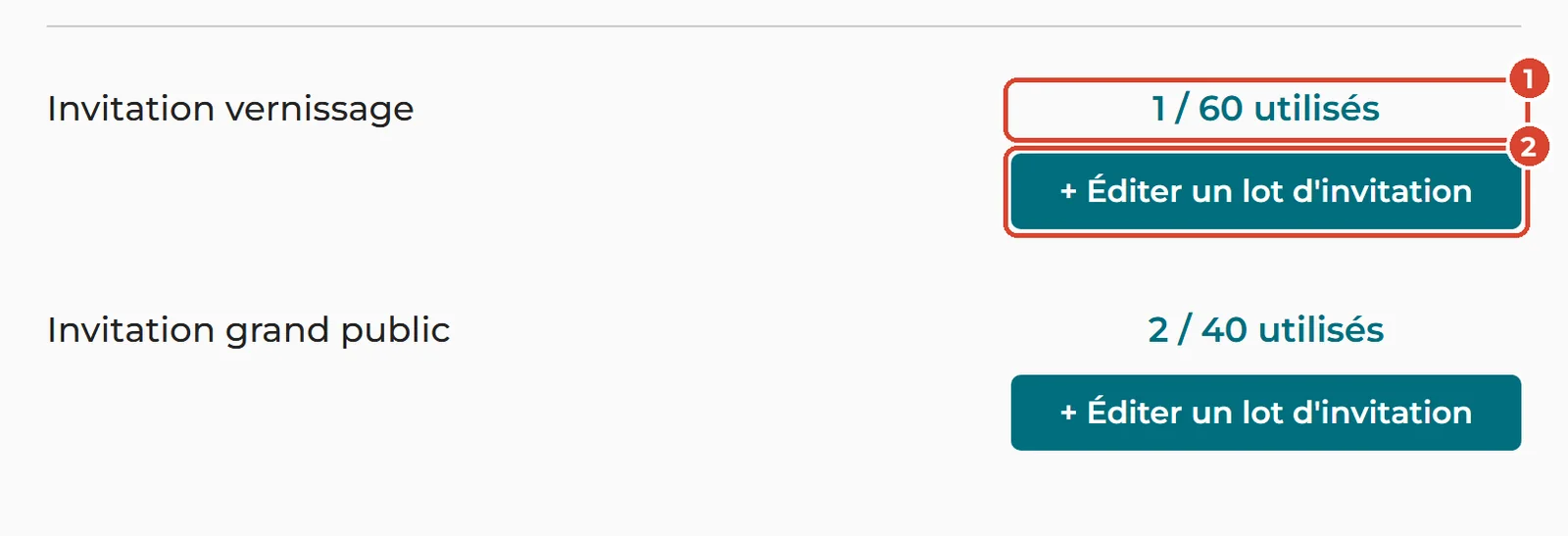
Inviting someone by email
- Click “+ Éditer un lot d’invitation” next to the type you want, then enter the number of invitations.
- If you wish, enter your guest’s first name and surname: they will appear on the invitation.
- Under “Envoyer par email” (send by email), click Oui (yes).
- Enter their address under “Email destinataire”. You can add a message and your name under “De la part de” (from).
- Click “Valider” (confirm). Your guest receives the invitation by email straight away.
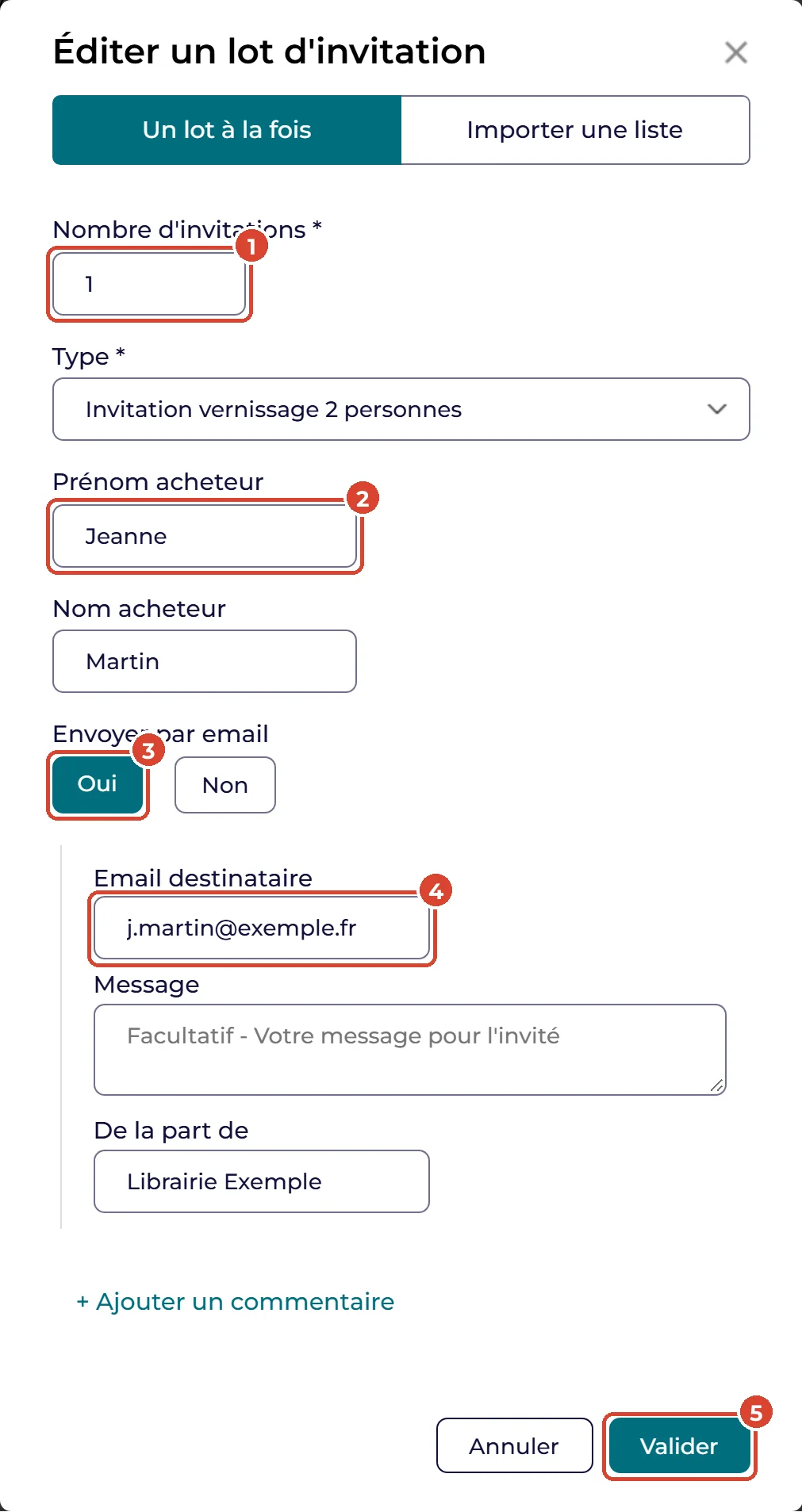
Printing or attaching an invitation
- In the same window, enter the number of invitations and, if you wish, a name.
- Under “Envoyer par email”, click Non (no), then “Valider”.
The batch appears at the bottom of your portal: click “Télécharger” (download) to get the PDF, then print it or attach it to your own mailings.
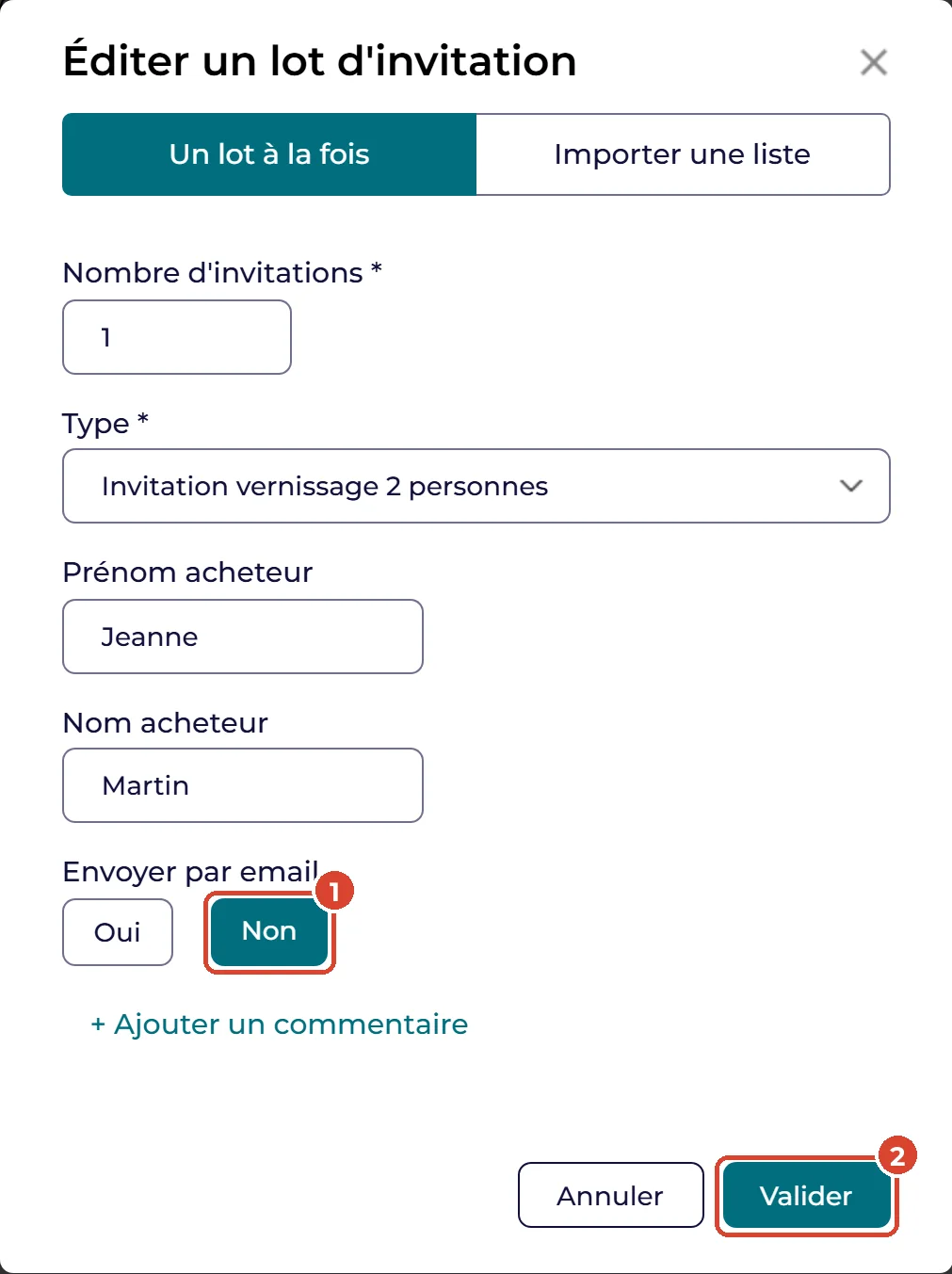
Inviting a whole list
Handy for a mailing to your customer list. In the window, click the “Importer une liste” tab (import a list).
- Choose “Oui” to send by email, or “Non, je les transmettrai moi‑même” (no, I will pass them on myself) to print.
- Choose the type of invitation.
- Enter your guests (email, first name, surname, quantity): paste them from a spreadsheet, or import a CSV file based on the template provided.
- To send by email, tick the box certifying that your recipients have agreed (GDPR).
- Click “Valider”.
Good to know
If your list exceeds your quota, write to us before sending at contact@salondulivrerare.paris: we will increase it.
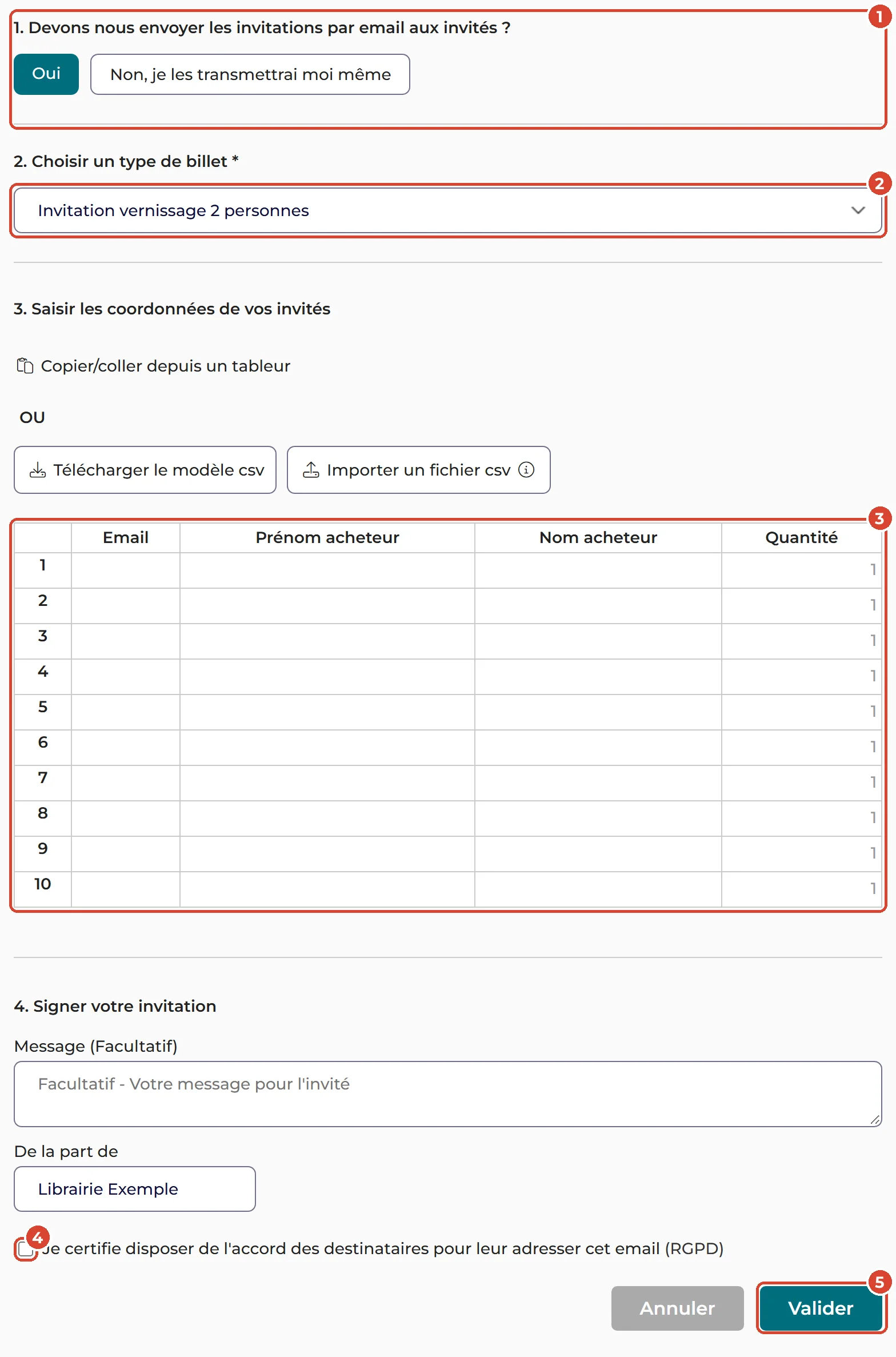
Keeping track of your invitations
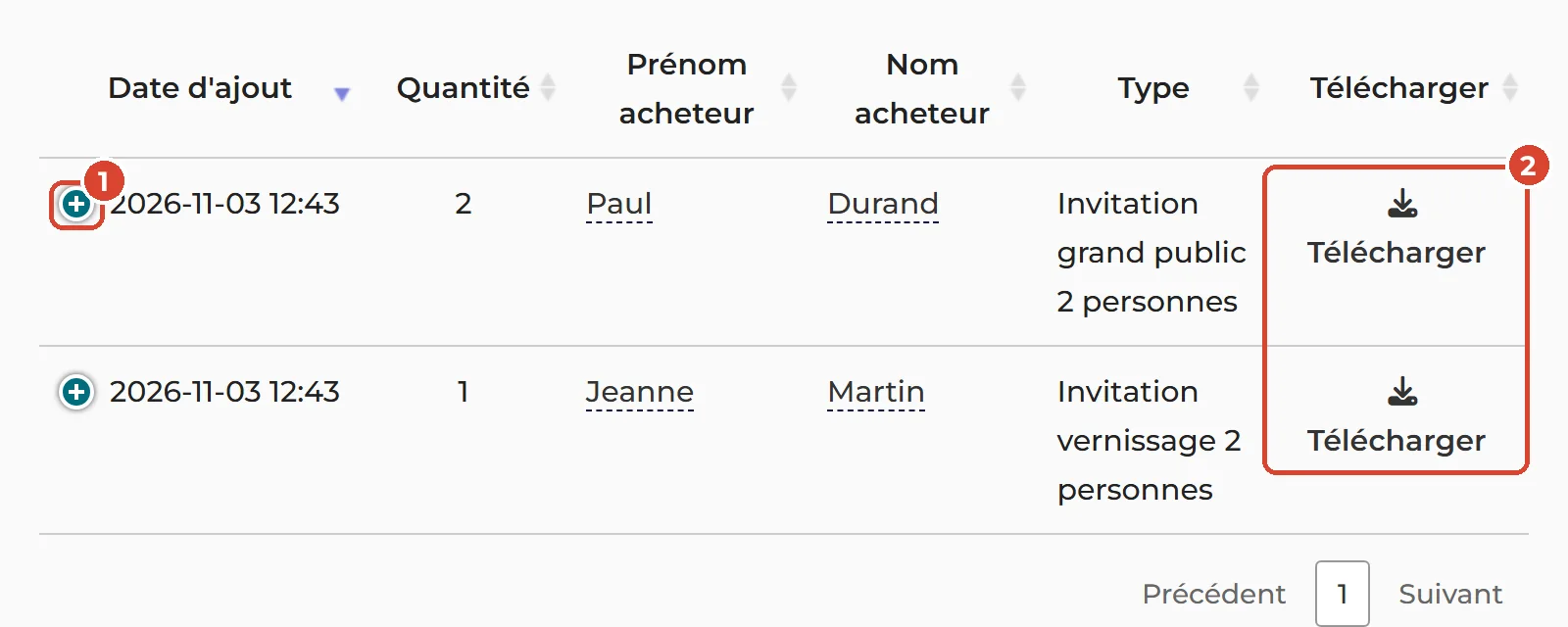
Each batch appears at the bottom of your portal, and the “utilisés” (used) counter is updated.
- The “+” shows the batch details: reference, status (“Envoyé”, sent; “Non téléchargé”, not downloaded) and, for a batch sent by email, the “Renvoyer” link (send again).
- “Télécharger” opens the PDF of the batch’s invitations.
You can also correct the name by clicking on it.
What your guest receives
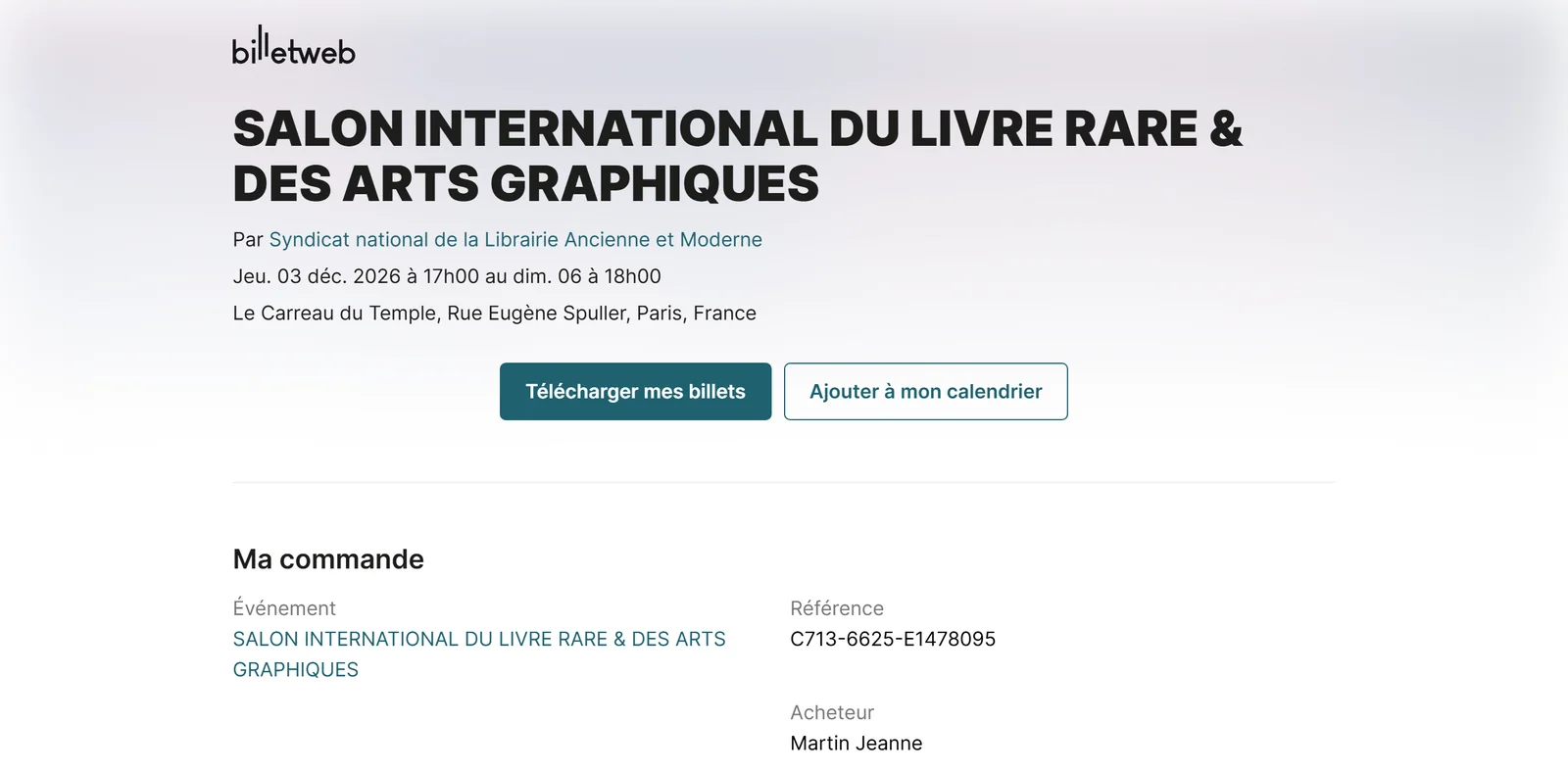
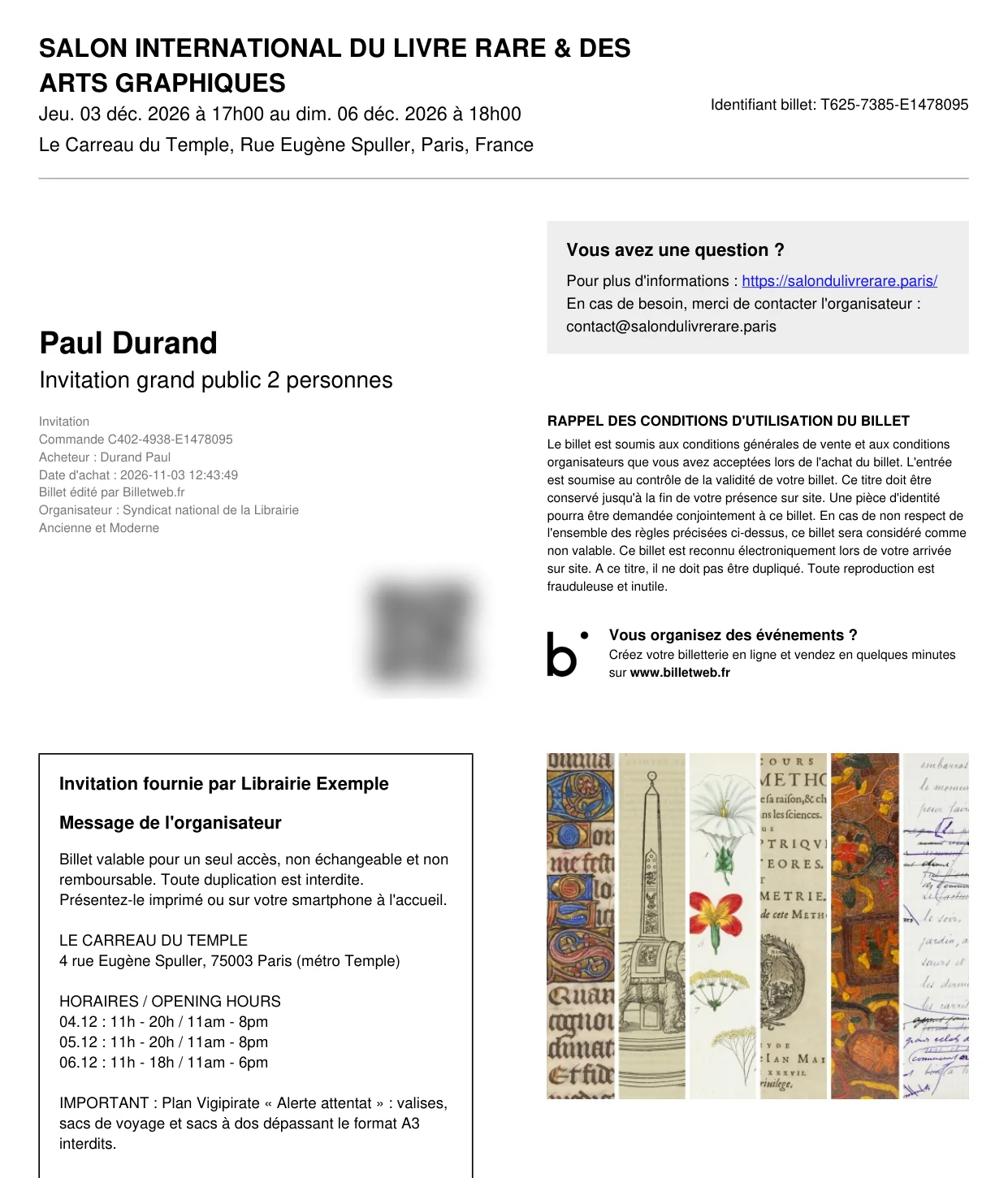
Your guest receives an email from Billetweb, “Invitation pour Salon international du livre rare & des arts graphiques de la part de…”. The “Télécharger mon invitation” button (download my invitation) takes them to their page, where “Télécharger mes billets” (download my tickets) opens the invitation as a PDF. The invitation shows the name (if any), the type of invitation, the name of your company and the QR code. Your guest shows it at the entrance on a smartphone or printed.
Frequently asked questions
My quota is not enough: what can I do?
Write to us at contact@salondulivrerare.paris: we will increase it, for example for a mailing to your customer list.
Can my guest give the invitation to someone else?
Yes. Names are not checked at the entrance: the invitation can only be used once, whoever presents it.
My guest did not receive the email, or has lost it.
First check their spam folder. Otherwise, find the batch at the bottom of your portal, click “+” and then “Renvoyer” (send again). You can also download the invitation and send it yourself.
I entered the wrong name or address.
For the name, click on it in your list of batches to correct it. For a wrong address, download the invitation and send it yourself to the right address, or create a new batch; if needed, write to us to cancel the wrong batch.
How many people does one invitation admit?
Two people, together, on a single visit.
Opening or public days: what is the difference?
The opening invitation gives access to the evening of Thursday 3 December, from 5 pm to 10 pm, and remains valid once until the 6th if not used on 3 December. The public days invitation is valid once from 4 to 6 December.
Does the invitation have to be printed?
No. The QR code can be shown on a smartphone; a printed invitation is accepted too.
Someone wants to come to the opening without an invitation:
They can buy a VIP or VIP Duo ticket on the Tickets page.